
How to play
Every square on the board is a playing card. Play a card from your hand, put a chip on a matching square, and try to make two lines of five before your opponent does.
The goal: two lines of five
A line of five of your chips in a row, in any direction, is a sequence. Up and down, left to right, or diagonally, all count the same.
You need two sequences to win the game. One is not enough. Your two sequences may share at most one chip, so a single line of six does not quietly count twice.
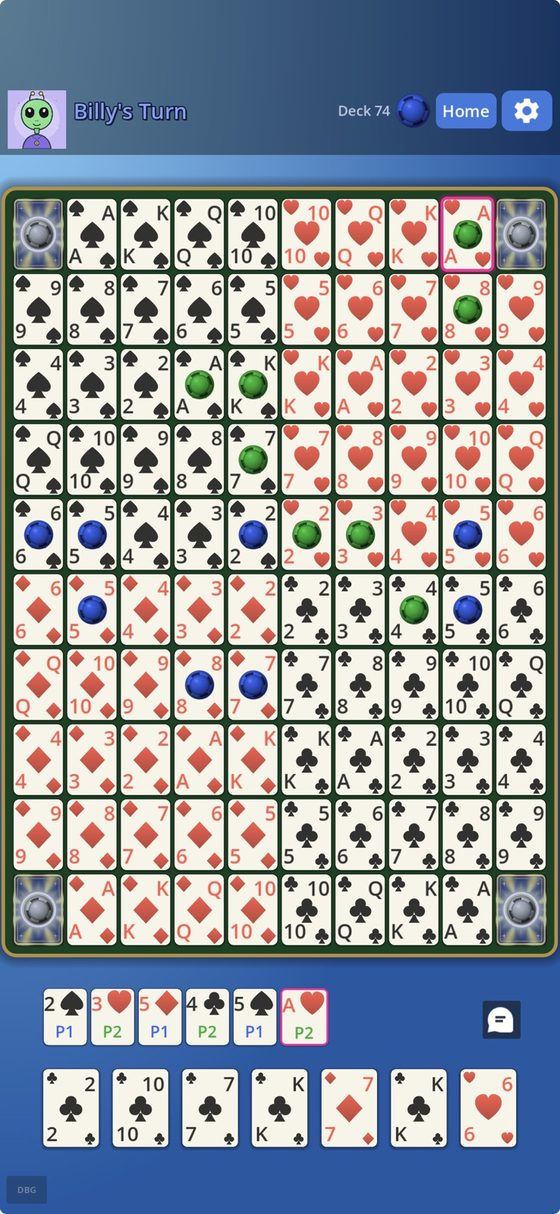
Taking a turn
Tap a card in your hand, then tap a square showing that card. Your chip goes down and a fresh card is dealt to you. That is the whole turn.
Every card appears on the board twice, so if one is taken you usually have a second choice.
The four corners are free
The corner squares belong to everyone. They count toward anybody's sequence and no chip is ever placed on them. Think of them as a free head start on any line that reaches a corner.
Jacks are the wild cards
There are two kinds, and they do opposite things.
- Black jacks (clubs and spades) are wild. Place a chip on any empty square you like.
- Red jacks (hearts and diamonds) remove. Take one of your opponent's chips off the board.
A red jack cannot break up a completed sequence, so once a line of five is finished it is safe for the rest of the game.
Stuck with a useless card?
If both squares for a card are already covered, that card is dead. Tap it and then tap either of its covered squares, and the game swaps it for a new one. It does not cost you your turn.
Playing with friends
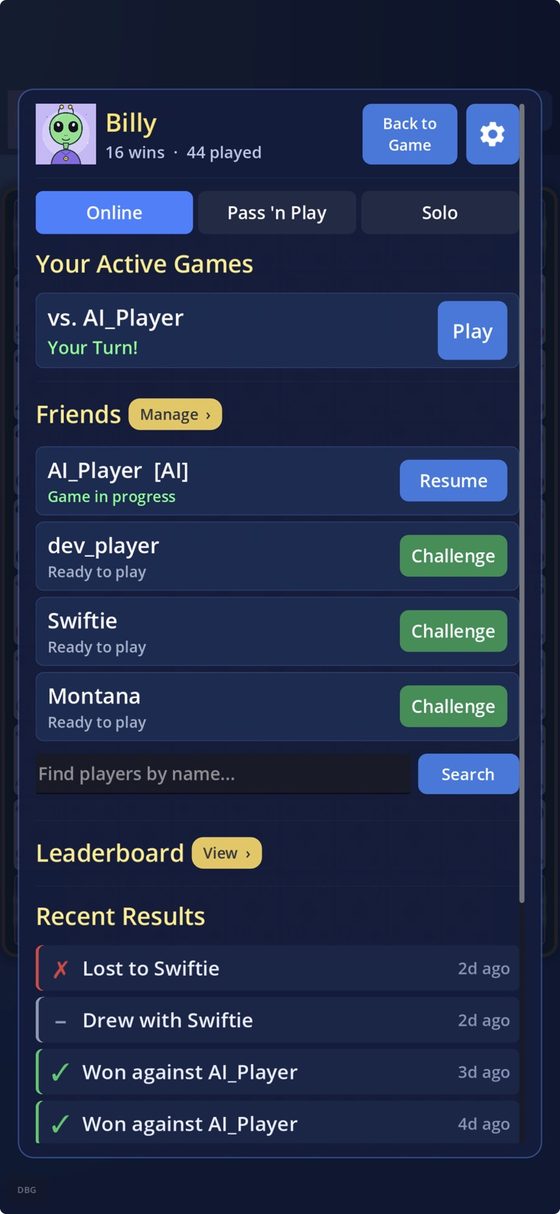
Create an account, then search for your friend's username and send a friend request. Once they accept, tap Challenge to start a game.
Games are turn based. You do not both need to be online. Play a move, put your phone away, and the other person gets a notification when it is their turn. Say yes to notifications when the game asks, or you will not know when to come back.
No friends on here yet? Tap Play a Stranger on the Home screen and the game will match you with someone who has been playing recently. You can also challenge people straight from the leaderboard.
Chat, and keeping it civil
You can chat inside a game, but only with people you have added as friends. Strangers can play you; they cannot message you. That is deliberate.
In the chat window there are two buttons:
- Mute chat turns off messages with that one person. The game carries on. You can unmute any time.
- Report ends the game, blocks the person, and sends me the conversation to look at.
You can also Block someone outright. A blocked player cannot message you, challenge you, or see you, and you will not see them. Blocked people are listed under Manage Friends, where you can unblock them if you change your mind.
If you would rather not be challenged by people you do not know, go to Settings and turn on Only friends can challenge me.
The leaderboard
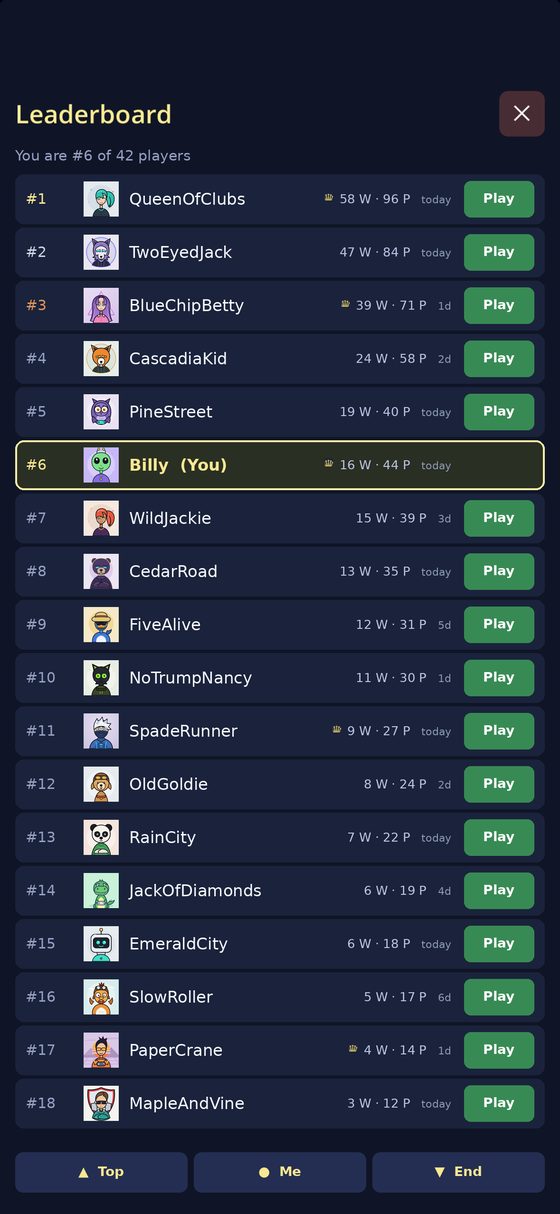
Tap Play on any row to challenge that person. The date beside each name tells you how recently they played, so you can pick someone who is likely to answer.
The totals count every finished game, including games against the computer. Settings shows the breakdown if you want to know which of your wins came from practice.
Practising against the computer
Add AI_Player as a friend and challenge it like anyone else. It is a real opponent and it is not easy. Practice games never count against your game limit.
Making it yours
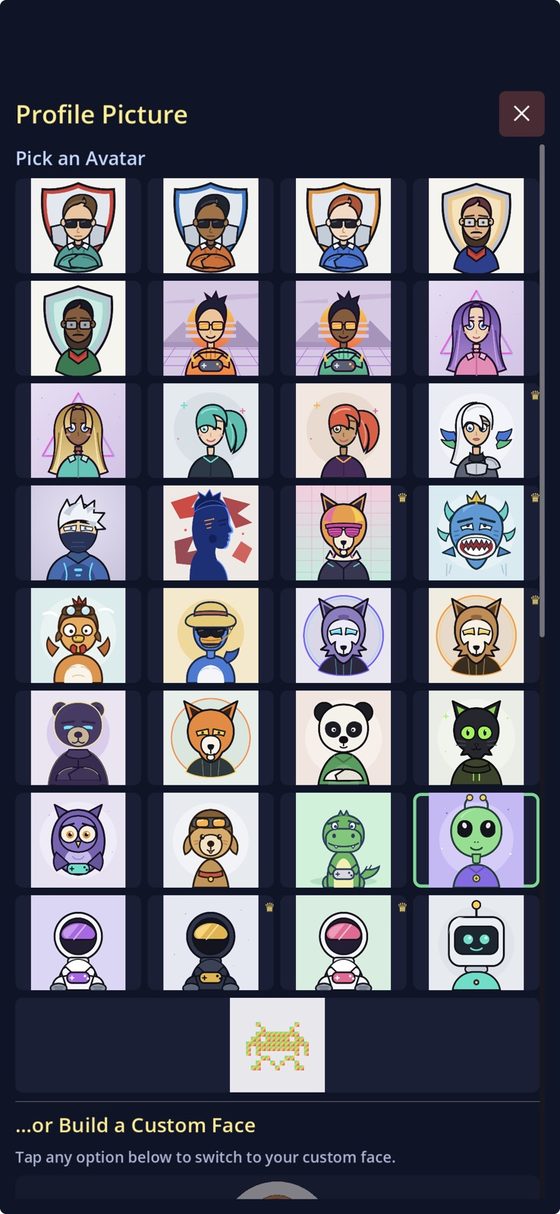
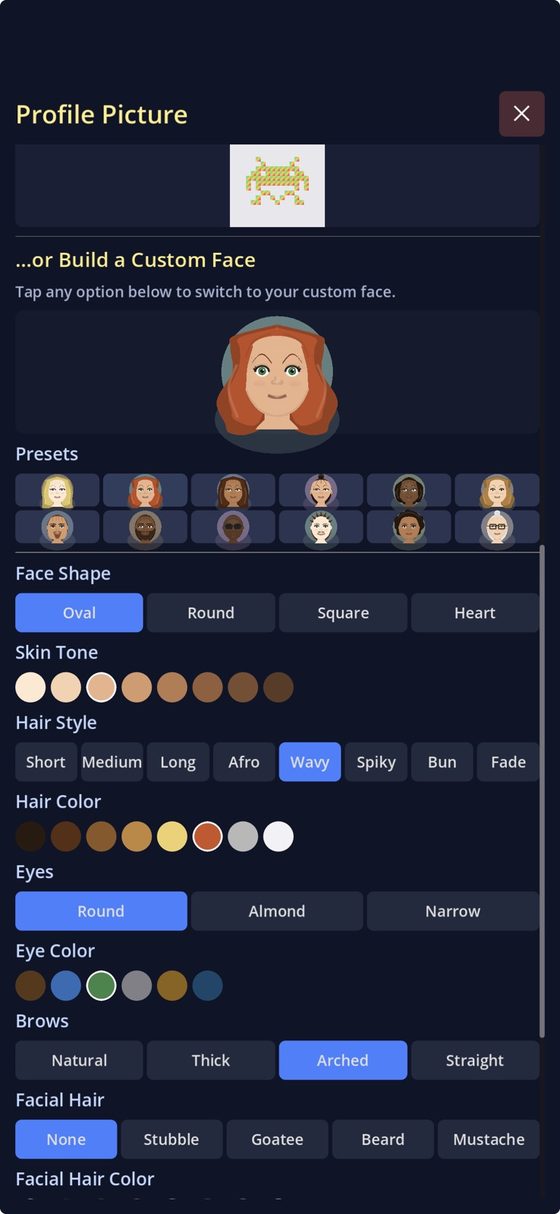
Free accounts choose from sixteen ready-made faces and a set of preset ones. VIP opens the rest of the collection and the face builder, where you pick every feature yourself.
You can change your chip colour there too, which is worth doing if you and your opponent both ended up with the same one.
VIP
A one time unlock, $4.99, bought in the app under Settings. No subscription, no coins, nothing else for sale. It gives you unlimited games at once, the VIP avatar pack, the custom face builder, a crown on the leaderboard, and it makes your invitations free for your friends.
Free accounts can start two games at a time. Being invited into a game never counts against that, so you can always accept.
Your account
- Signed up with just a name? Set a password in Settings. Until you do, the account lives only on that phone, and losing the phone (or signing out) loses the account.
- Add a recovery email in Settings before you need it. Without one there is no way to reset a forgotten password.
- Changing phones? Settings, then Move to a New Phone, gives you a one time code to sign in on the new one.
- Change your password in Settings. You stay signed in here; other devices will need the new one.
- Delete your account in Settings. It erases everything and cannot be undone.
Still stuck?
Write to me and I will actually read it. Include your username, and if a game is stuck, say who you were playing.